Stop telemetry.
Take back your bandwidth.
Your Mac talks to Apple all day — even when you don't. Weimer Network Defender silences the chatter at the process and firewall level. No internet connection required.
Your device talks too much.
Without you noticing, your device sends personal data to remote servers around the clock. The privacy settings in System Preferences don't stop most of it.
Kill. Block. Watch.
Process-level termination
The defender watches outbound traffic and terminates any tracked process the moment it sends data. Reaction time is under 100 ms. An aggressive mode kills known telemetry processes on sight.
~100ms reaction · sender-reactiveIP-level firewall
Each known-telemetry destination is registered with the system firewall. Outbound packets to over 700 endpoints get dropped before they leave your device. No internet round-trip, no DNS leak window.
Endpoints blocked · kernel-level dropReal-time monitoring
Every service, every PID, every connection — visible in a single sortable list. Cumulative sent/received counters per service. Spot the noisy processes; decide what to allow, what to kill, what to firewall.
Services catalogued · live updates · sortableBuilt for power users. Easy to use.
See everything talking on your device.
250+ services pre-catalogued with descriptions, sorted by traffic. Filter by Allowed, Auto-Kill, Auto-IP, or Undefined. Cumulative bytes since first run.
Click any row to see PIDs, connections, and destination IPs. The data you needed Activity Monitor to give you, but never did.
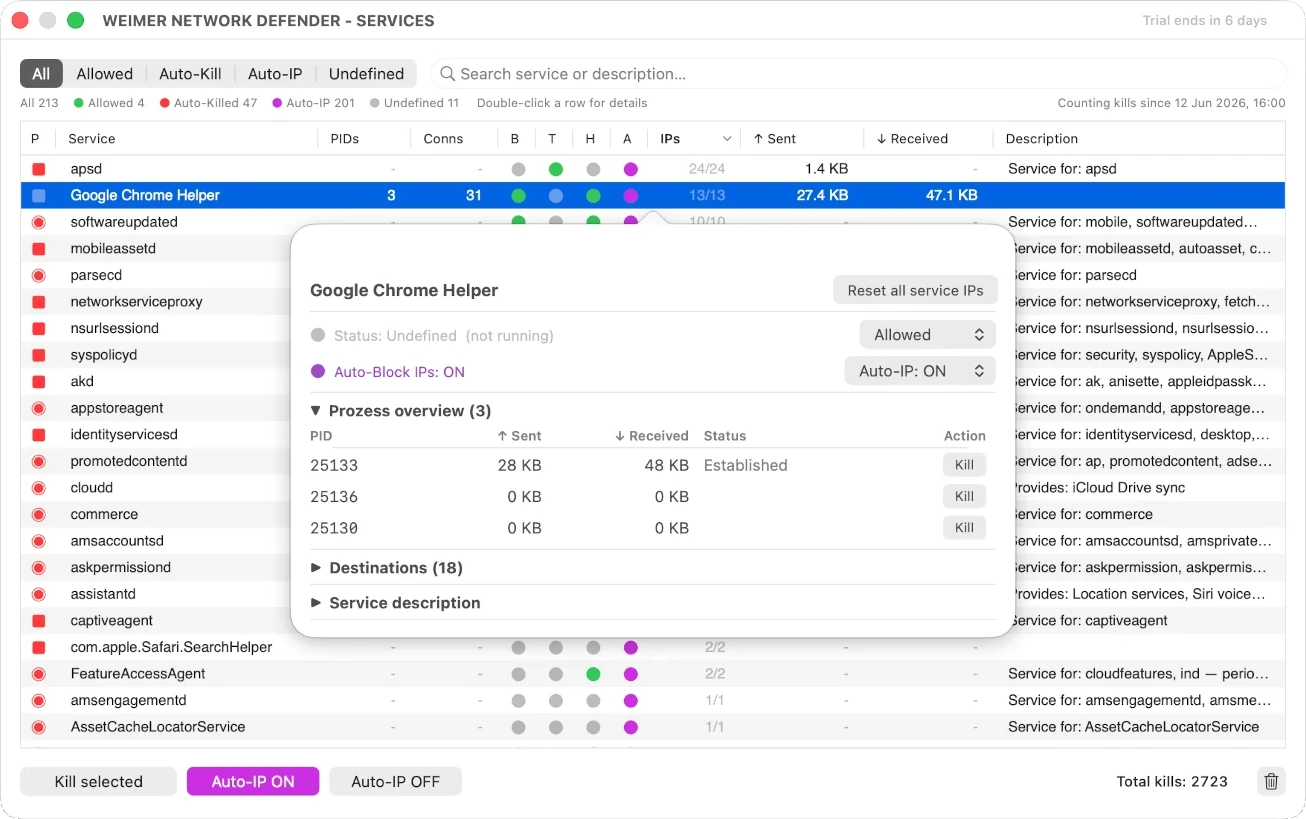
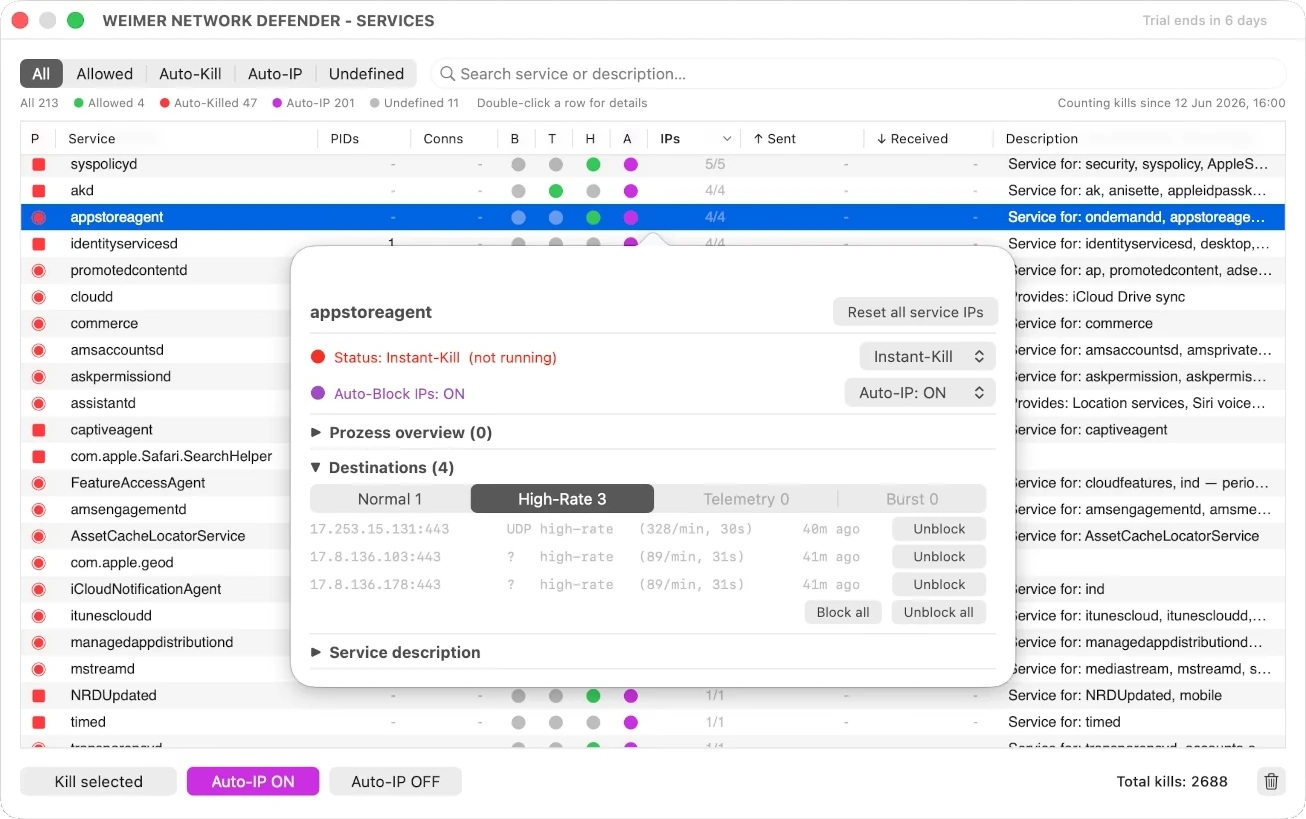
Per-service decisions in two clicks.
Double-click a service to open detail. See every PID, every IP it's reaching, every byte counter. Then decide: Allow, Auto-Kill, or — for fast-respawning services — Instant-Kill.
Dangerous decisions get an explicit confirmation modal. Safe ones are one click.
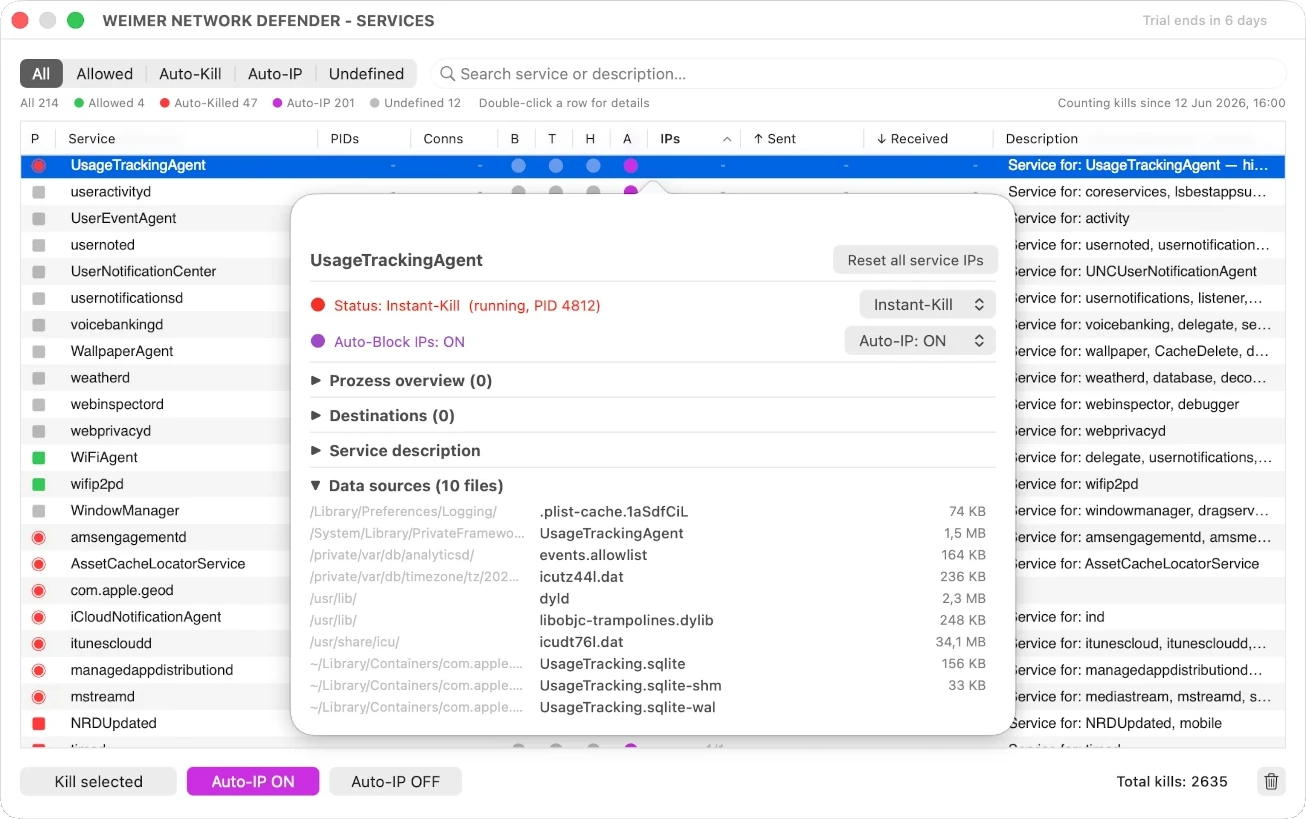
See what each service touches on your disk.
The detail popover lists every file a service has open right now — SQLite databases, plists, caches, system files. Each row shows the path, the filename, and the on-disk size.
Double-click any row to reveal the file in Finder. Verify what a service actually touches before deciding whether to allow it, kill it on send, or kill it on sight.
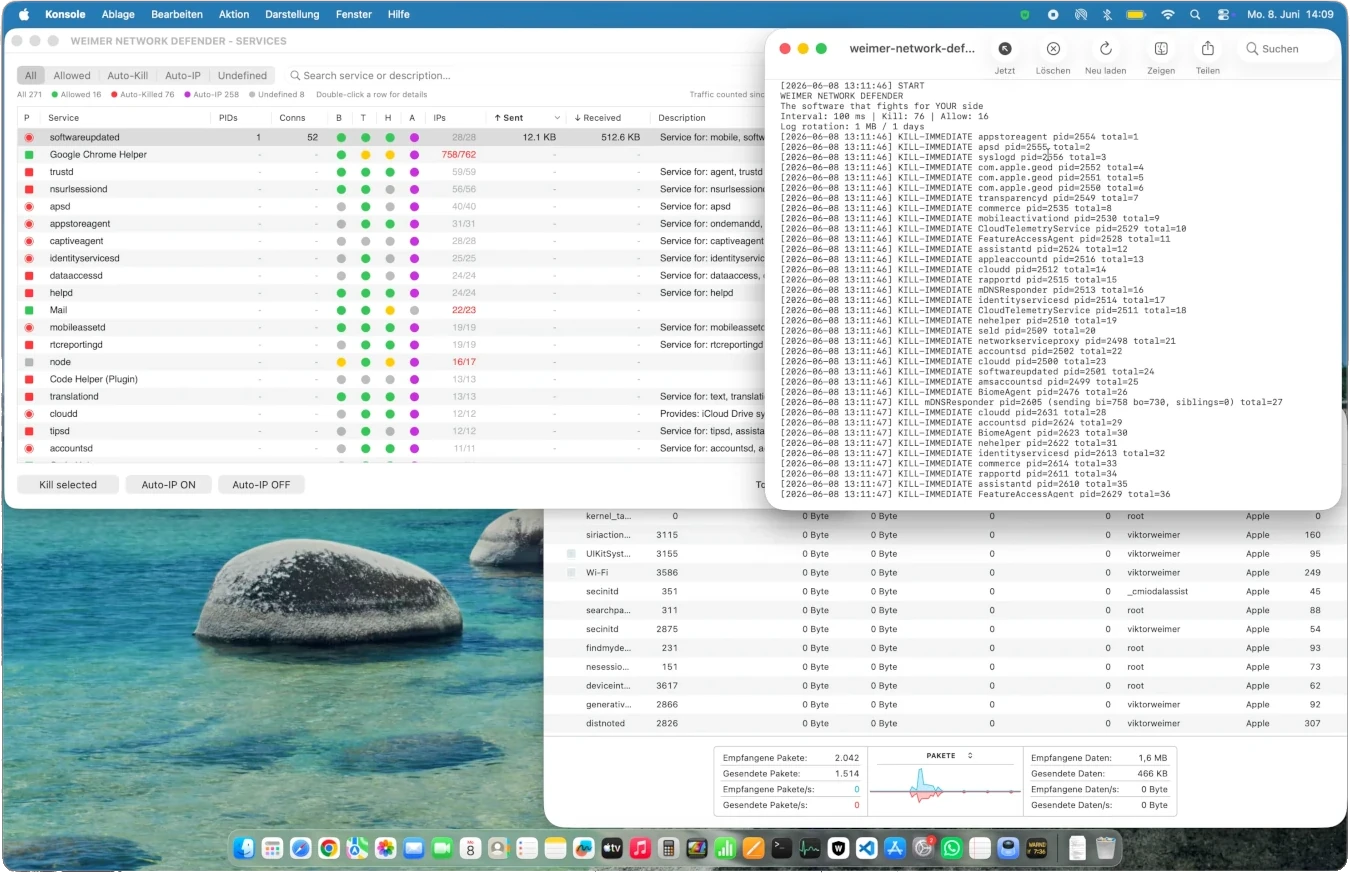
~99% reduction. Verified.
Outbound telemetry drops from kilobytes per minute to nearly zero. Background services that previously synced photos, locations, contacts, voice, and diagnostics fall silent — only the connections you explicitly allow get through.
Measure it yourself with any system network monitor. No marketing claims, no inflated numbers — the values you see are the values you get.
Safe Recovery Mode at every boot.
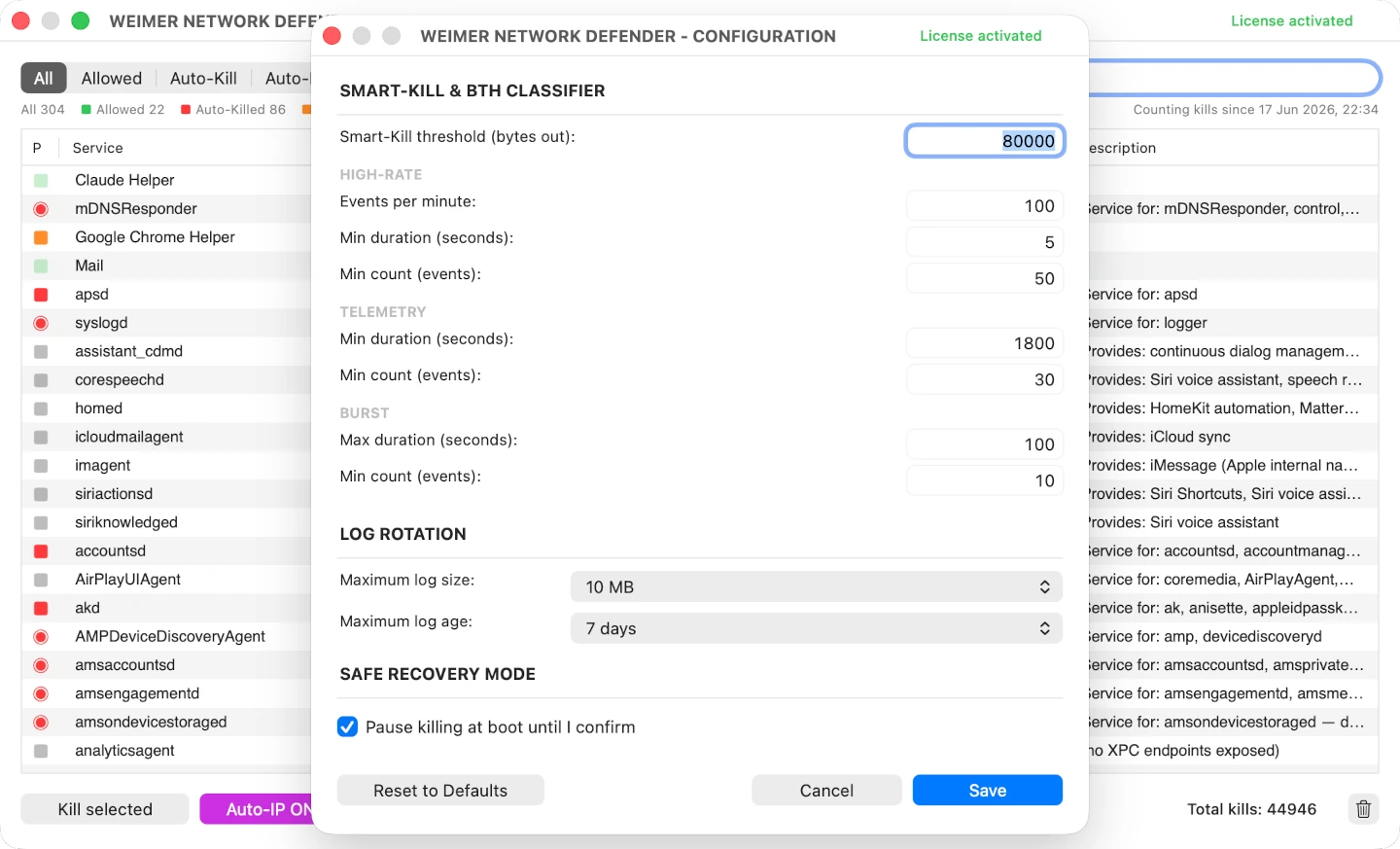
Configured an aggressive kill rule that turned out to be too aggressive? At every boot, the defender pauses killing until you confirm in a recovery dialog. Click × next to any service you want to keep running — it's allowed permanently. Press OK to resume killing the rest.
Default ON for new installs. Power users can switch it off in Configuration. Your fallback if a rule ever locks you out at startup.
We don't take your data.
Because we don't need to.
We don't collect
No analytics, no usage tracking, no fingerprinting. The defender runs entirely on your device.
We don't use
Nothing leaves your Mac. No telemetry, no crash reports, no "anonymous" data we promise to anonymize.
We don't share
No third parties, no ad networks, no government partnerships. The privacy commitment is structural, not promotional.
The defender connects to a server only once — to verify your license key on activation. No other outbound traffic.
What you should know.
Will this break my Mac?
--remove <service> to undo it.Does the defender itself track me?
What about updates? How do I get them?
What operating systems do you support?
What if Apple changes things and you stop working?
nettop, pf, and launchctl — system tools Apple has shipped for over a decade and is unlikely to remove. If a macOS update changes the daemon names or service structure, we release a compatibility patch as a v3.x update.